PRC Political Database
HK01 · 2017
Background
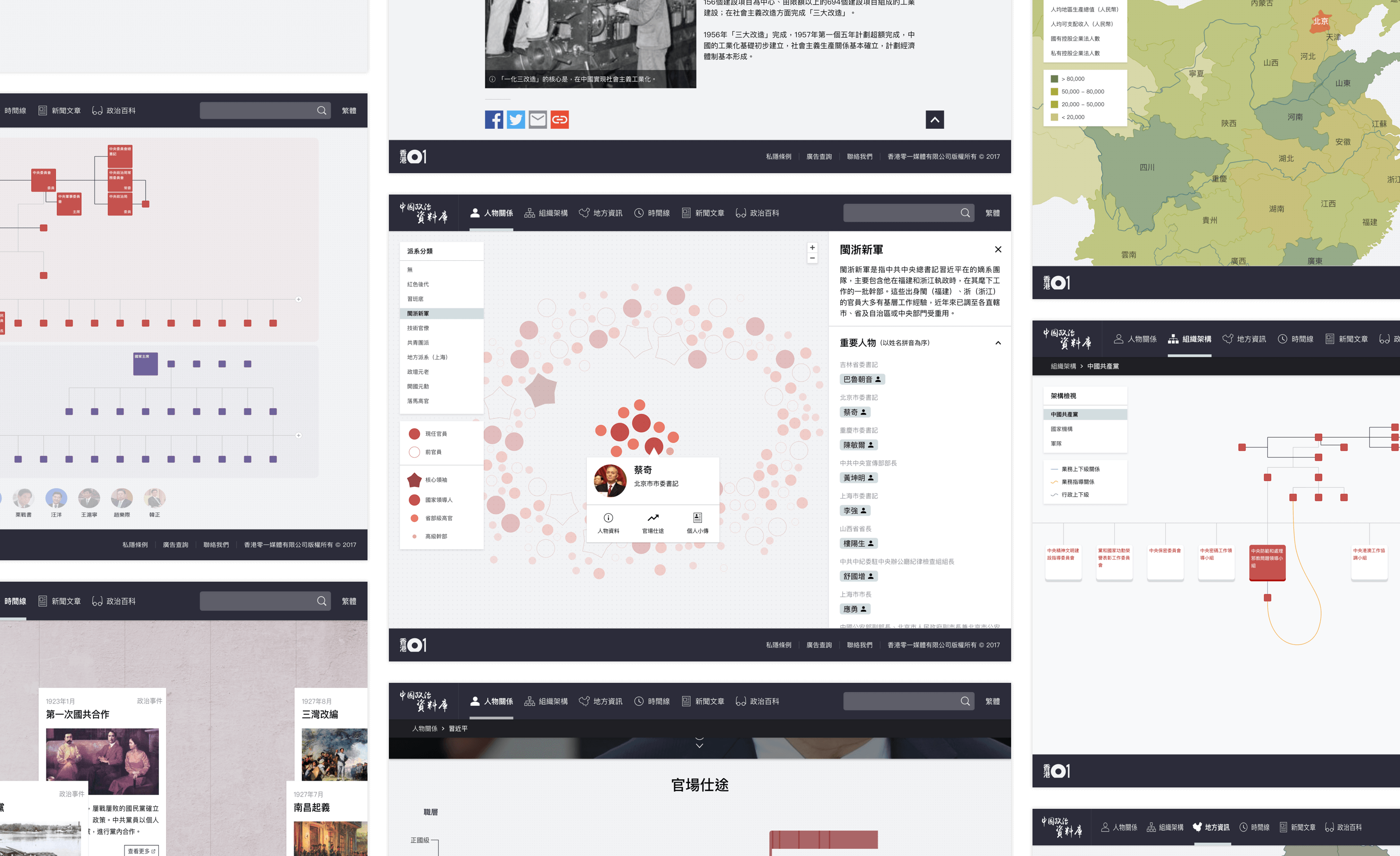
As per the 19th National Congress of the Communist Party of China, HK01 has decided to launch an educational informational website. The primary objective of the website is to provide insights into the structure, relationships, history, and articles of the People’s Republic of China (PRC) through the use of infographics and charts.
My Role
This was a 0-to-1 project: there was no earlier version to build on. I was the only product designer and there was no project manager, so I worked directly with HK01’s journalists and editors.
Product Highlights
1. Relationship chart
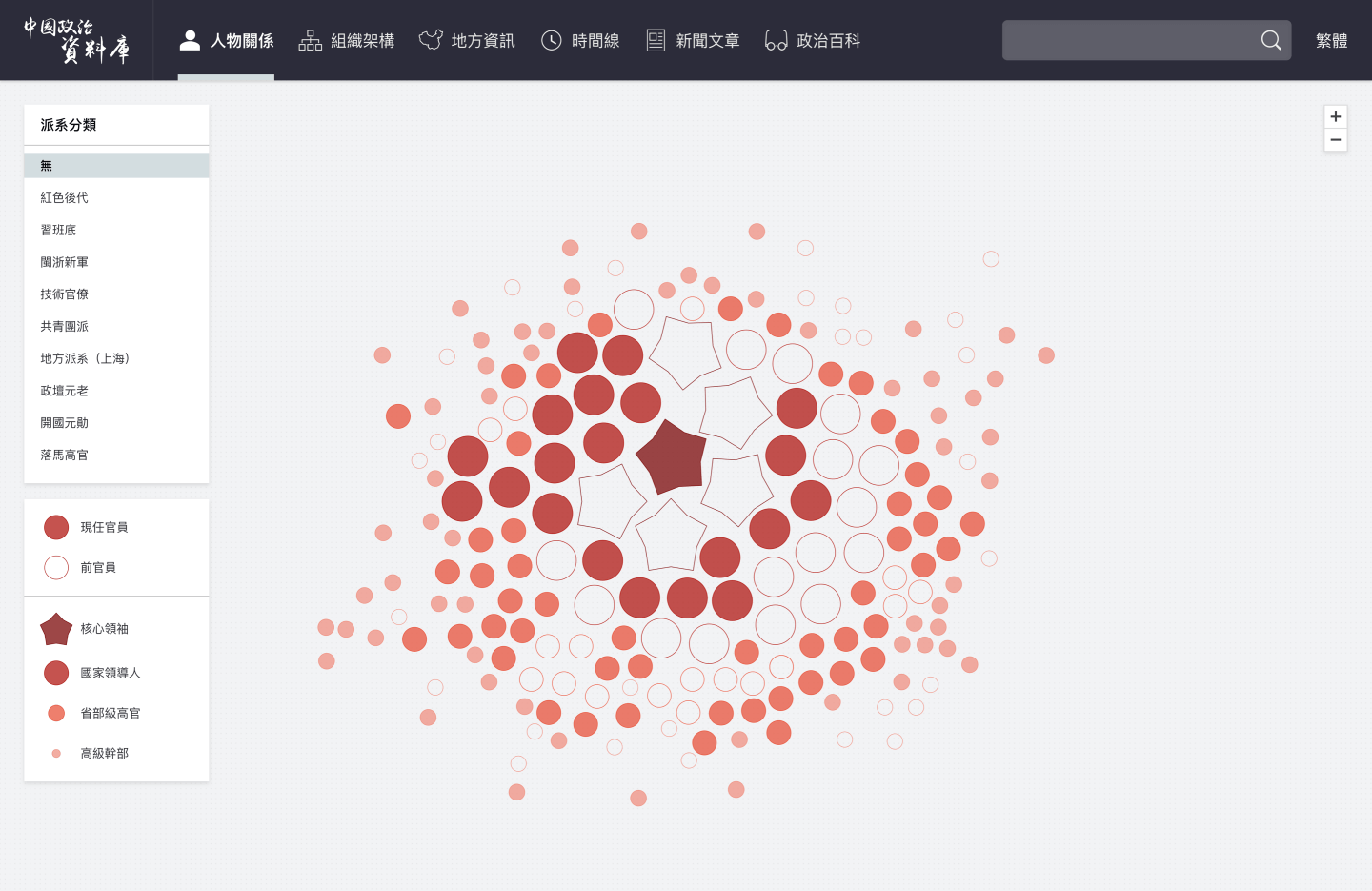
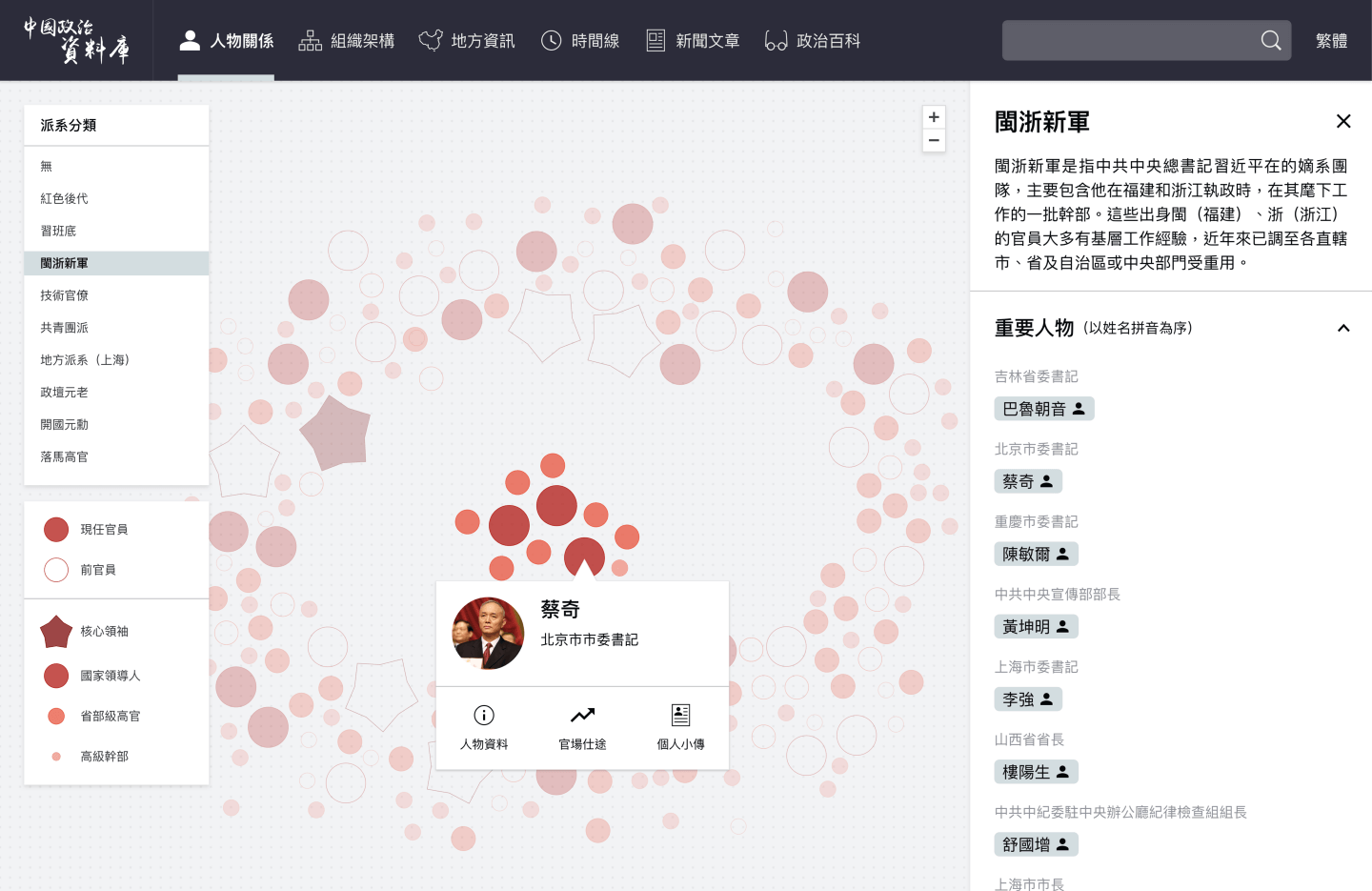
The size of the dots on the website represents the rank of the character, and the lines connecting the dots indicate their relationships with other individuals. When clicking on the groups/clusters in the left-hand side menu, the related dots will gather together to represent the corresponding group members.
2. Leader’s Profile
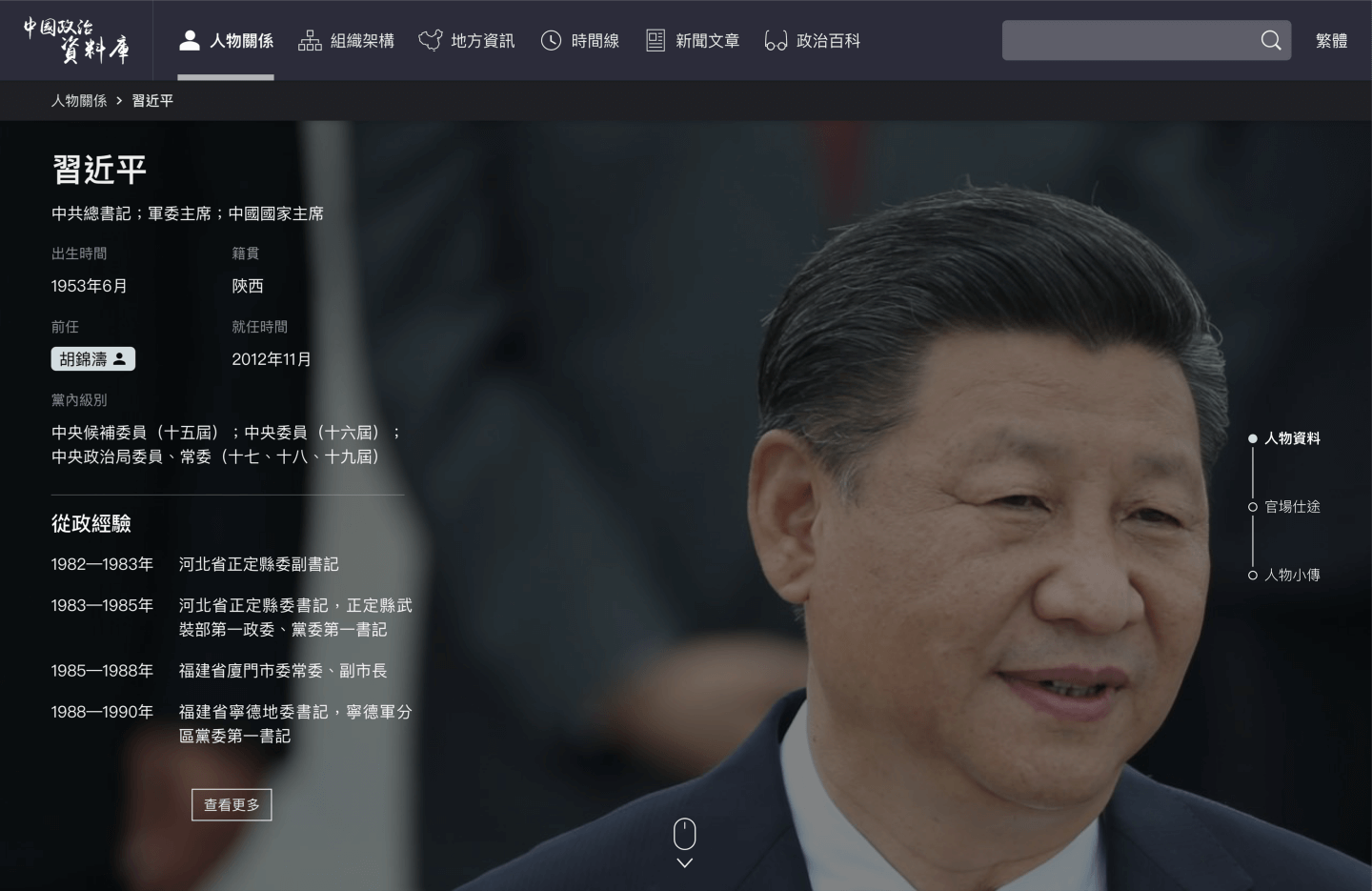
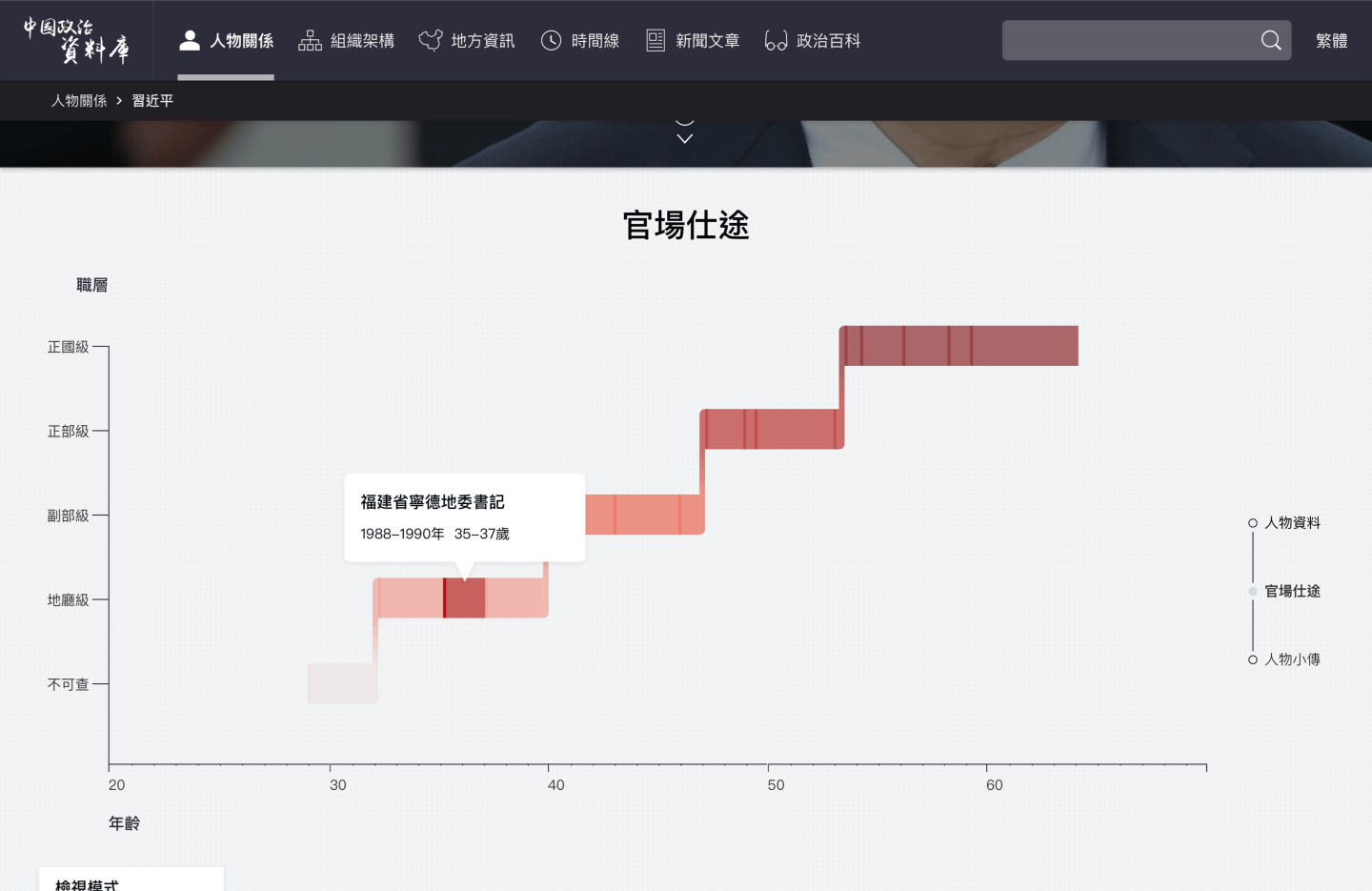
Each leader has their personal profile page, which can be accessed through a name tag located on the entire website. The profile consists of three sections: basic information, career path, and biography. The career section visualizes the individual’s entire career path, accompanied by a brief description of their age and title.
3. Hierarchy chart
A chart depicting the powers, departments, and offices of the PRC has been created. The chart utilizes a tree structure to showcase the hierarchy, with dotted lines for hidden reporting relationships and curved lines for links across departments, or even across systems.
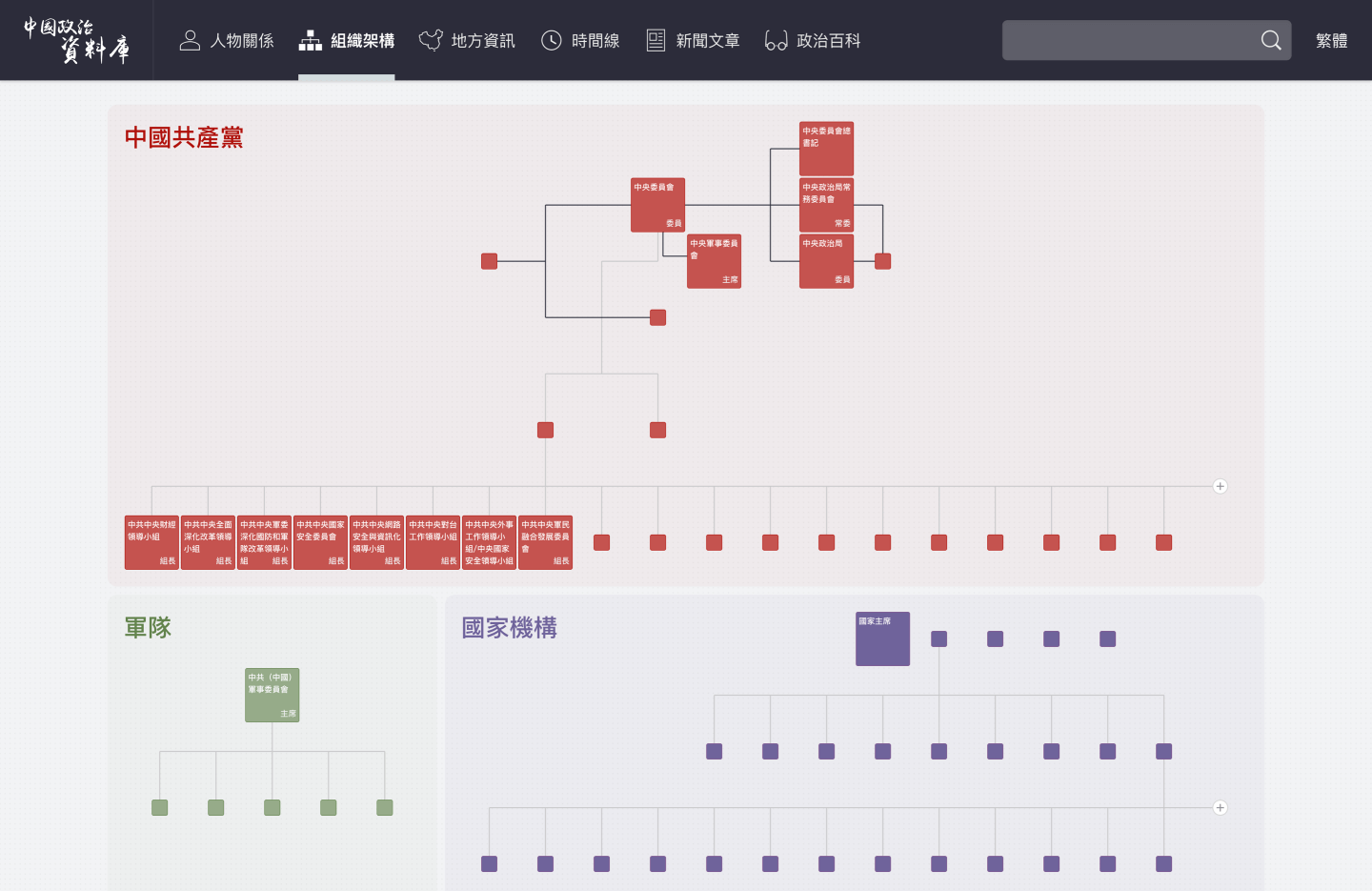
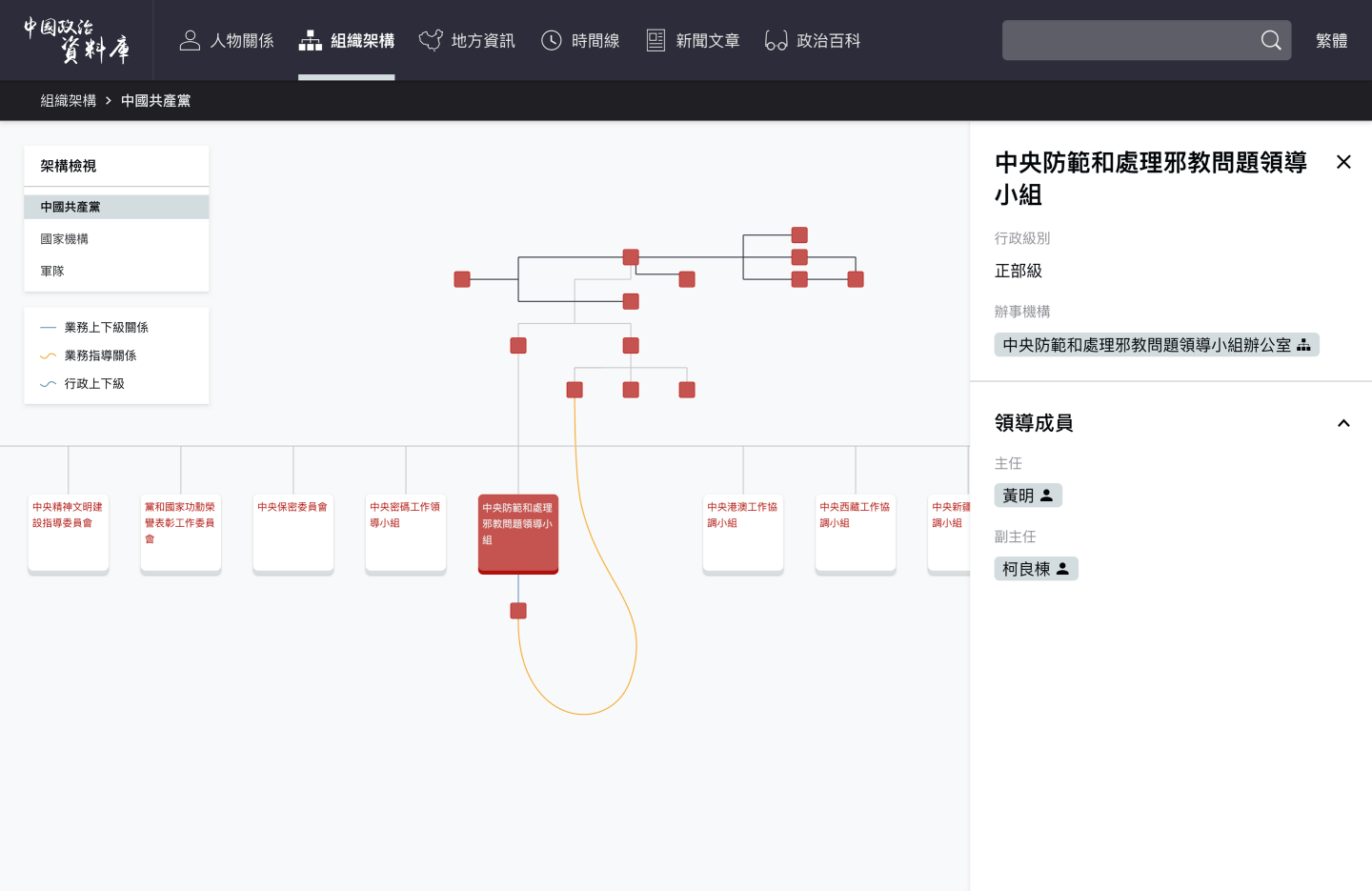
Understanding the relationships within the chart can be challenging, as it reveals that certain small offices or groups may possess higher political positions and power compared to their parent departments. Additionally, some offices may experience a cross-power situation, further complicating the dynamics depicted in the chart.
4. Region information
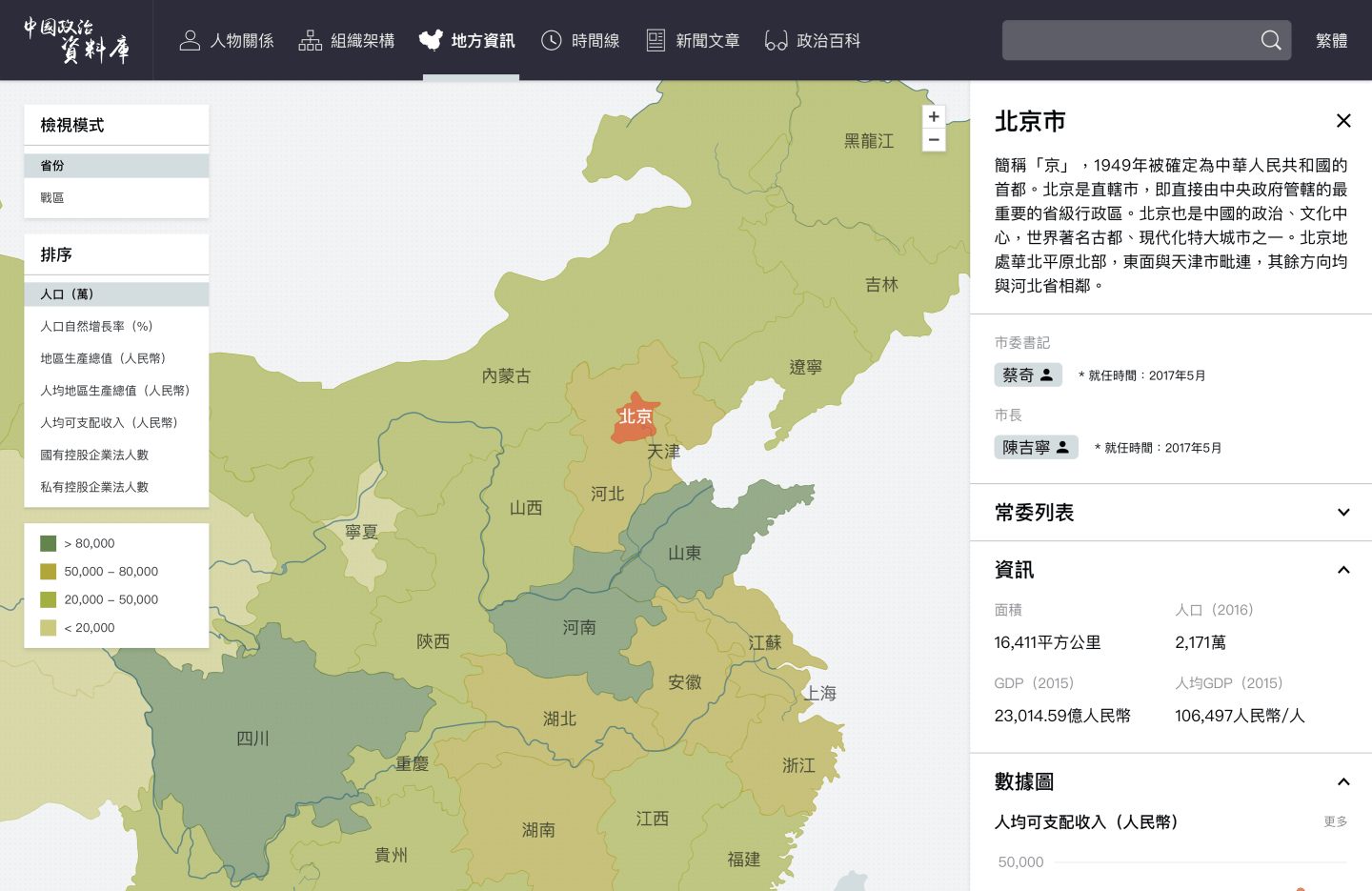
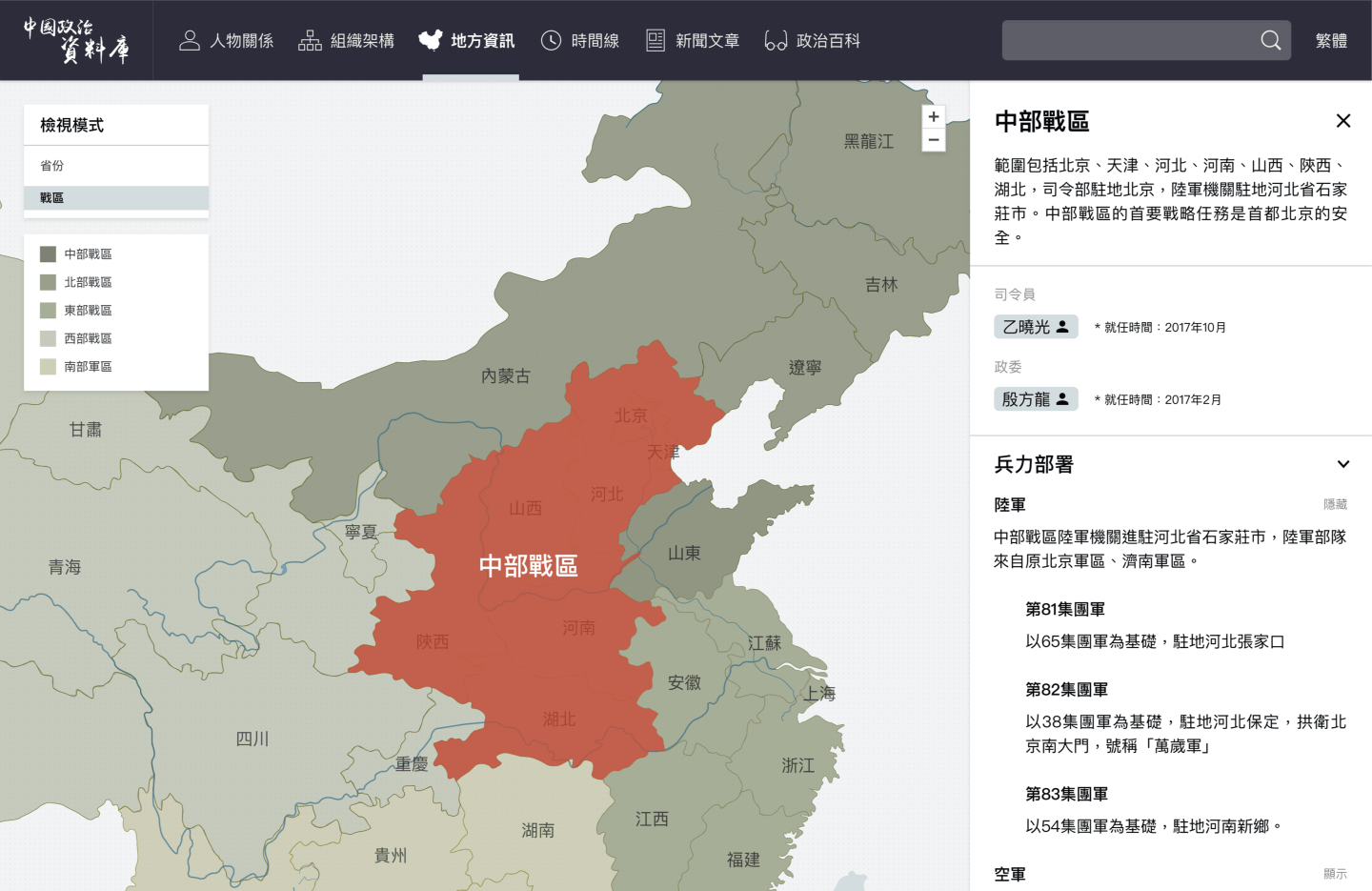
The map displays the geographical administrative regions, providing descriptions and demographic information for each region, such as population, GDP, and more. The color of the provinces represents the sorting order based on the selected criteria from the filter on the left-hand side. Additionally, the map offers a view of the theater commands of the People’s Liberation Army.
5. PRC Timeline
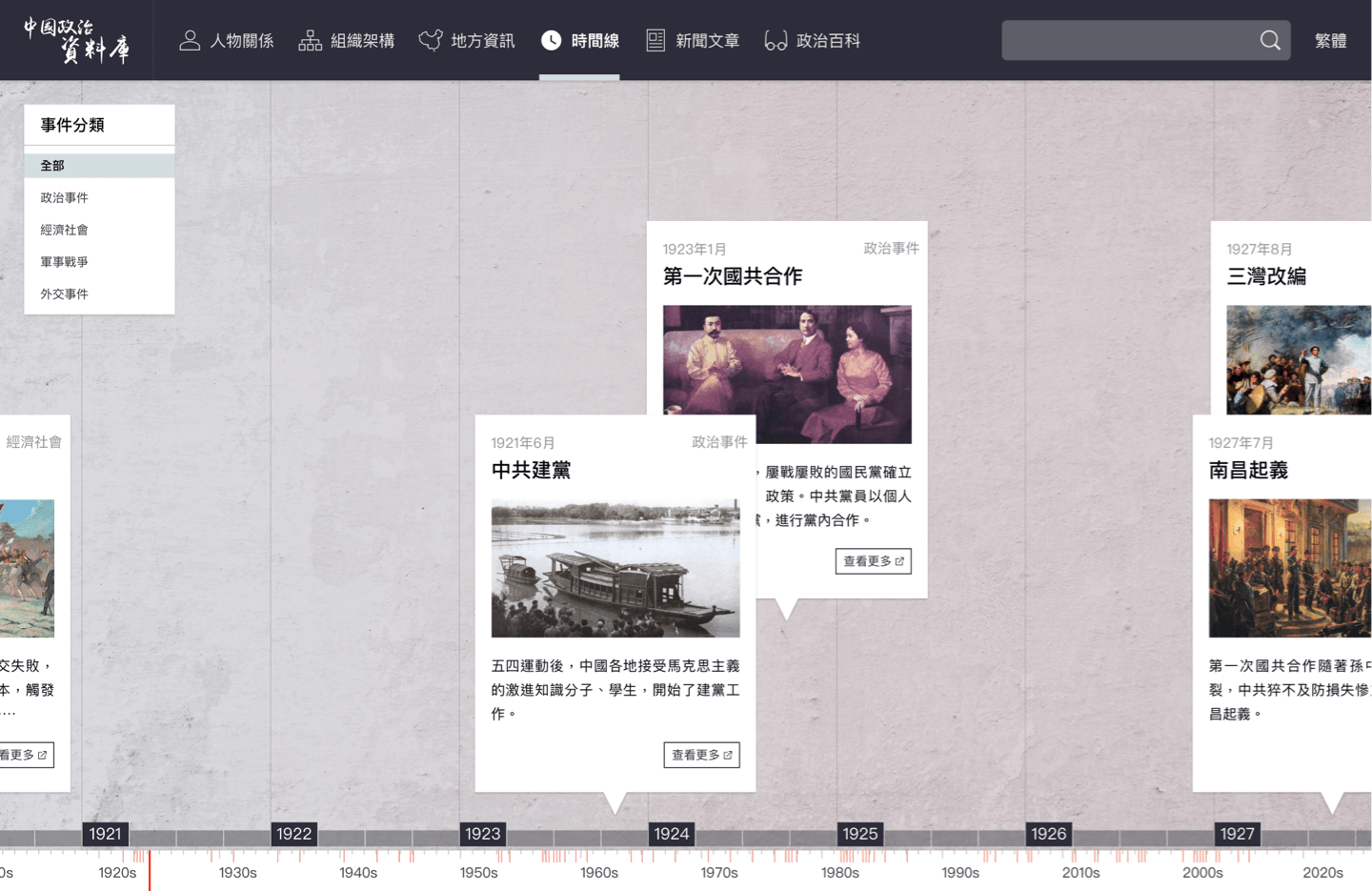
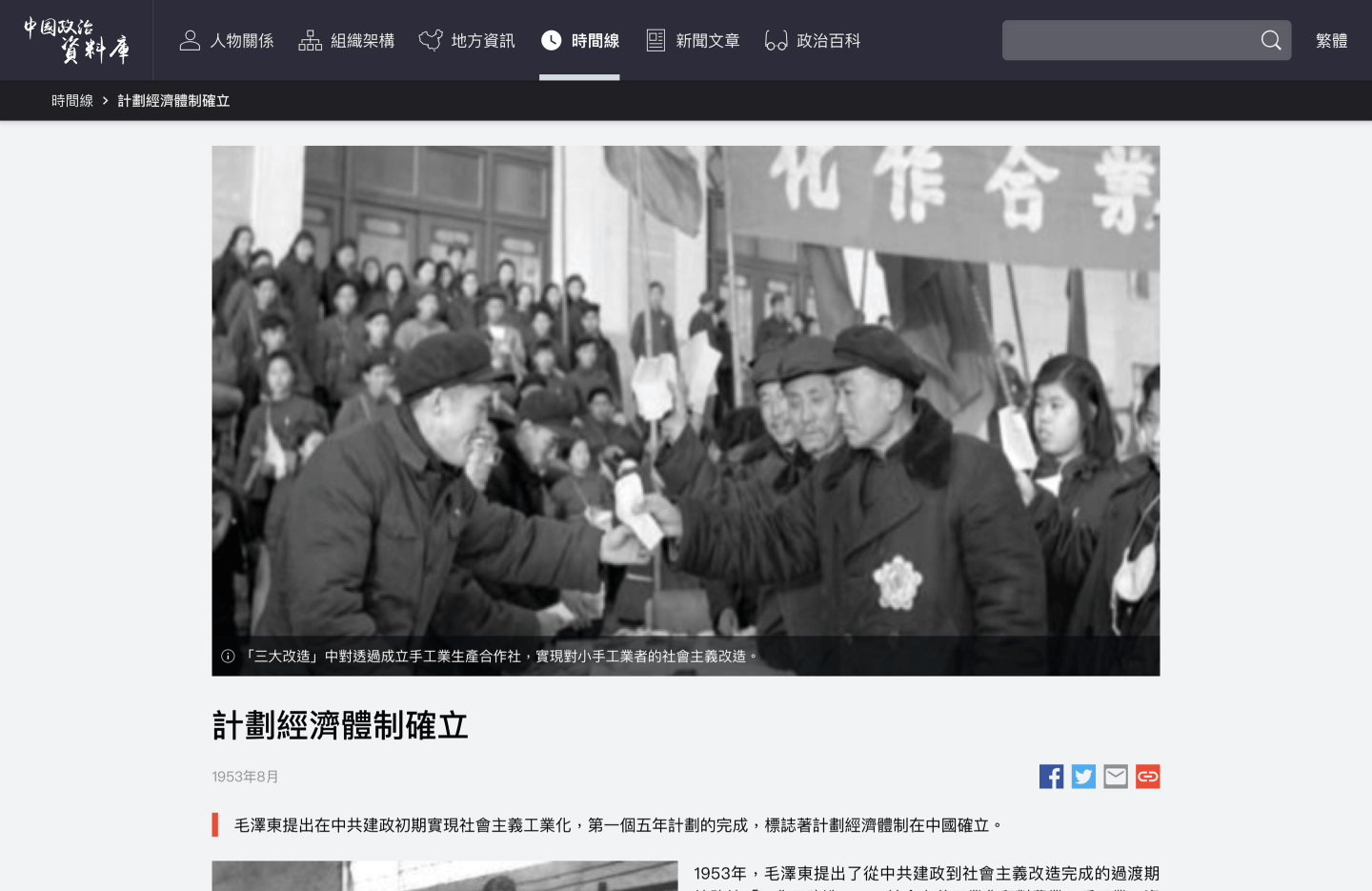
A timeline is utilized to illustrate the history of the PRC, providing visitors with a holistic view. Each historical event card within the timeline guides readers to corresponding photographs and stories, offering a comprehensive historical lesson that enriches their knowledge and understanding.
Challenge
The most challenging aspects of the project involve understanding the complex and hidden structure and relationships within the PRC, as well as effectively communicating and collaborating with journalists. The intricate and illogical nature of the PRC’s structure makes it difficult to present the information through infographics. Additionally, as a product designer without a project manager, I was responsible for educating journalists on sustainable product concepts, such as component-based design, information architecture, and UI knowledge, while also managing expectations.
Journalists don’t think in components, where everything can be standardised. They found it absurd that we had fixed everything so rigidly. But we couldn’t have different data on every page: each kind of data maps to a data structure, and the data structure directly decides how the chart is displayed. We still met their requests wherever we could.
The hardest part was the hierarchy chart. The Party’s structure has a formal side and a real side: a unit that looks like a subordinate may actually answer to a body above its apparent superior, and carry more weight than it does. An ordinary layered tree can’t show that, so the chart had to draw strange relationships on top of the hierarchy, some running vertically within one structure and some crossing into another system. I used two kinds of line for this. Dotted lines mark covert reporting relationships. Curved lines mark links across departments or even across systems, such as the Party directly steering a post on the government side.
The development team drew the chart with a third-party diagram library. It couldn’t support relationships that break the logic of a tree, so they had to customize it heavily on top, and the build became a struggle.
Journalists don’t think in components, where everything can be standardised. They found it absurd that we had fixed everything so rigidly. But we couldn’t have different data on every page: each kind of data maps to a data structure, and the data structure directly decides how the chart is displayed. We still met their requests wherever we could.
The hardest part was the hierarchy chart. The Party’s structure has a formal side and a real side: a unit that looks like a subordinate may actually answer to a body above its apparent superior, and carry more weight than it does. An ordinary layered tree can’t show that, so the chart had to draw strange relationships on top of the hierarchy, some running vertically within one structure and some crossing into another system. I used two kinds of line for this. Dotted lines mark covert reporting relationships. Curved lines mark links across departments or even across systems, such as the Party directly steering a post on the government side.
The development team drew the chart with a third-party diagram library. It couldn’t support relationships that break the logic of a tree, so they had to customize it heavily on top, and the build became a struggle.
Outcome
I designed the desktop web version, and part of it was built. I then handed the mobile web version to colleagues in mainland China, and after that I lost track of it. The project was never launched as planned, so there are no usage numbers to show, and I can’t say how it would have performed.
Takeaway
I hadn’t been working for long when I did this project, and it was where I first felt how differently product people and business people think. It has helped me ever since, because I can stand on the other side of the table with more empathy. When I later worked on a parking-offer panel for shopping malls at MTR Lab, the marketing and property teams had requirements that couldn’t be standardised either, and it was the same problem. What I learned is to standardise first, then add a layer of exceptions on top — a bit like using “!important” in CSS.